class: title-slide, center, middle <span class="fa-stack fa-4x"> <i class="fa fa-circle fa-stack-2x" style="color: #ffffffcc;"></i> <strong class="fa-stack-1x" style="color:#e7553c;">08</strong> </span> # Parameters --- class: inverse, center, middle # <center>Parameters in RStudio</center> <span class="fa-stack fa-4x"> <i class="fa fa-circle fa-stack-2x" style="color: #fff;"></i> <strong class="fa-stack-1x" style="color:#17a2b8;">1 </strong> </span> --- # <center>Knit with Parameters</center> <img src="images/knit-dropdown.png" title="Screenshot of the knit dropdown menu" alt="Screenshot of the knit dropdown menu" width="25%" style="display: block; margin: auto;" /> <img src="images/knit-dropdown-wizard.PNG" title="Screenshot of the YAML code that then appears in the wizard to select parameters" alt="Screenshot of the YAML code that then appears in the wizard to select parameters" width="1308" style="display: block; margin: auto;" /> ??? This uses {shiny} and may be prompted to install for use --- # <center>Inline Parameters</center> .pull-left[ Report relates to Series ``` `r params$series` ``` ] -- .pull-right[ 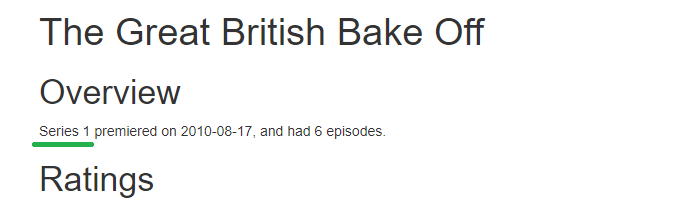 ] --- # <center>R code Parameters</center> --- # <center>R code Parameters</center> .pull-left[ ```r series_ratings <- ratings %>% * filter(series == params$series) ``` ] -- .pull-right[ ```r ratings %>% filter(series == params$series) %>% head(5) #> # A tibble: 5 x 11 #> series episode uk_airdate viewers_7day viewers_28day network_rank channels_rank bbc_iplayer_requests episode_count #> <dbl> <dbl> <date> <dbl> <dbl> <dbl> <dbl> <dbl> <dbl> #> 1 1 1 2010-08-17 2.24 7 NA NA NA 1 #> 2 1 2 2010-08-24 3 3 NA NA NA 2 #> 3 1 3 2010-08-31 3 2 NA NA NA 3 #> 4 1 4 2010-09-07 2.6 4 NA NA NA 4 #> 5 1 5 2010-09-14 3.03 1 NA NA NA 5 #> # ... with 2 more variables: us_season <dbl>, us_airdate <chr> ``` ] --- # <center>In chunk settings</center> .pull-left[ ```yaml --- params: show_code: FALSE --- ``` ] -- .pull-right[ Also add this to the global options: `knitr::opts_chunk$set(echo = params$show_code)` ] --- class: inverse, center, middle # <center>Shiny Controls</center> <span class="fa-stack fa-4x"> <i class="fa fa-circle fa-stack-2x" style="color: #fff;"></i> <strong class="fa-stack-1x" style="color:#17a2b8;">2 </strong> </span> --- # <center>Shiny Controls</center> .pull-left[ ```yaml title: "The Great British Bake Off" output: html_document params: series: label: "Series numbers" value: 1 input: slider min: 1 max: 9 step: 1 ``` ] .pull-right[ * label: text * value: starting point * input: type of wizard * min: minimum that you set * max: maximum that you set * step: increments (default gives smaller points that don't match data) ] ??? The params: YAML code uses {shiny} which needs to be installed. When searching for options related to types of `input` consider adding `shiny` to the search. --- class: your-turn # Your turn 🧶 **Knit** button and `Knit with Parameters...` after each step 1. Install and add library() call for either [wesanderson](https://github.com/karthik/wesanderson) 1. Add a new parameter called `palette:` spaced like `series:` 1. Add under the parameter: ```yaml label: "Give this a new name?" value: Darjeeling1 input: select choices: [GrandBudapest1, Darjeeling1, Darjeeling2, FantasticFox1, Royal2] ``` 4. Add code to the ggplot2 to change the output colours: + `scale_colour_manual(values = wes_palette(params$palette))` _psst...`01-bakeoff-report-alison.Rmd` has all the code..._ _psst-psst...answer on the next slide..._ <div class="countdown" id="timer_623b5ee6" style="right:0;bottom:0;" data-warnwhen="0"> <code class="countdown-time"><span class="countdown-digits minutes">05</span><span class="countdown-digits colon">:</span><span class="countdown-digits seconds">00</span></code> </div> ??? Issues may occur with grey pop up from shiny for some computers - possibly VPN/network issues. --- class: your-turn # Answer ```yaml palette: label: "Wes Anderson palette:" value: GrandBudapest1 input: select choices: [GrandBudapest1, Darjeeling1, Darjeeling2, FantasticFox1, Royal2] ``` --- class: inverse # <center>Next section...</center>